Elementor for Landing Page Design
Introduction:
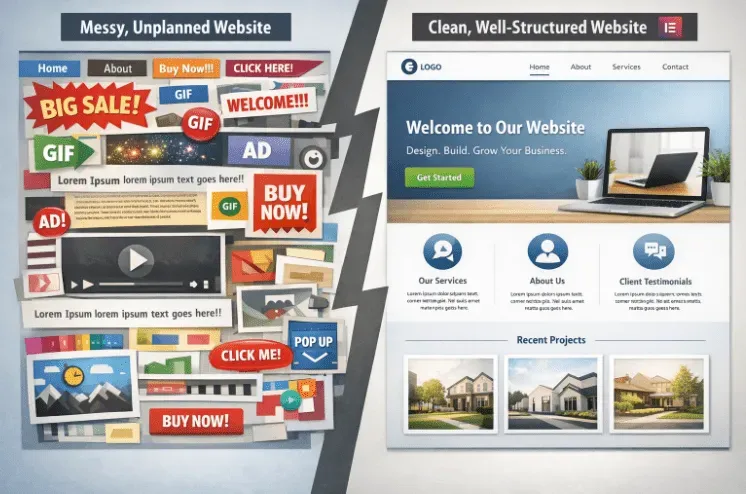
When people visit your website, the first thing they see is the landing page. Your landing page gives them an impression of you and your website, showing what your website is about. A good landing page encourages visitors to take action, generate leads, and keeps people engaged. Elementor for Landing Page Design helps you create landing pages without needing to code. By planning, structuring, and optimizing your landing page, your page will look professional and work smoothly on all devices.
Planning Your Landing Page:
- Decide your goal: sell a product, collect emails, or promote a service.
- Focus your content based on the goal to guide visitors effectively.
- Understand your visitors’ needs to tailor your content.
- Be clear about the action visitors should take: sign up, buy, or learn more.
- Organize headings, subheadings, and text so visitors can easily find what they’re looking for.
- Plan the placement of visuals like images, videos, or icons to support content.
- Keep distractions minimal so visitors focus on your goal.
Structuring the Layout with Elementor:
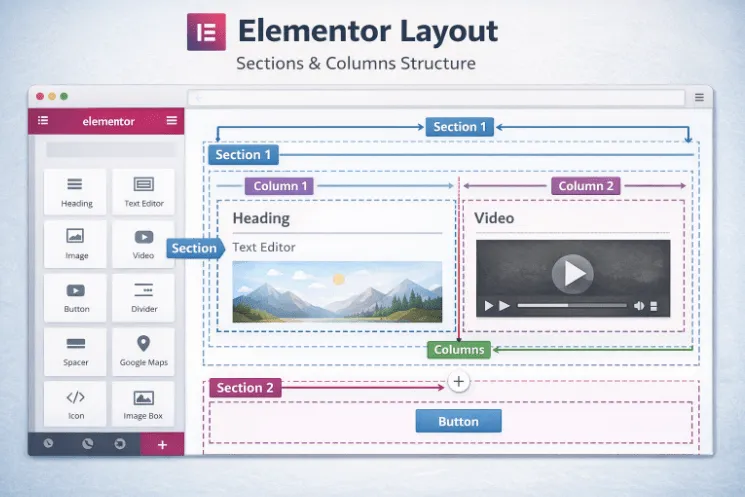
- Divide your landing page into clear sections: hero, features, testimonials, benefits, call-to-action.
- Use columns to separate content, making it easier to read.
- Hero section: heading, subheading, primary call-to-action, optional background image/video.
- Highlight features and benefits using cards or boxes for clarity.
- Include testimonials, reviews, or client logos to build trust.
- Ensure sections flow naturally so visitors scroll intuitively.
Using Widgets:
- Style headings and text using Elementor’s built-in tools.
- Use buttons as call-to-actions with contrasting colors and clear labels.
- Add icons or images to support content without overcrowding.
- Forms near call-to-action buttons make sign-ups or lead collection simple.
- Use Elementor widgets for social proof, counters, or dynamic content to engage visitors.