Elementor Guide
Master The Elementor Design Workflow
Build websites visually, faster, and professionally — with a step-by-step process that keeps every project on track from idea to launch.
- 7 min read
- Web Design
- Easy Steps

Introduction

Step 01
Foundation
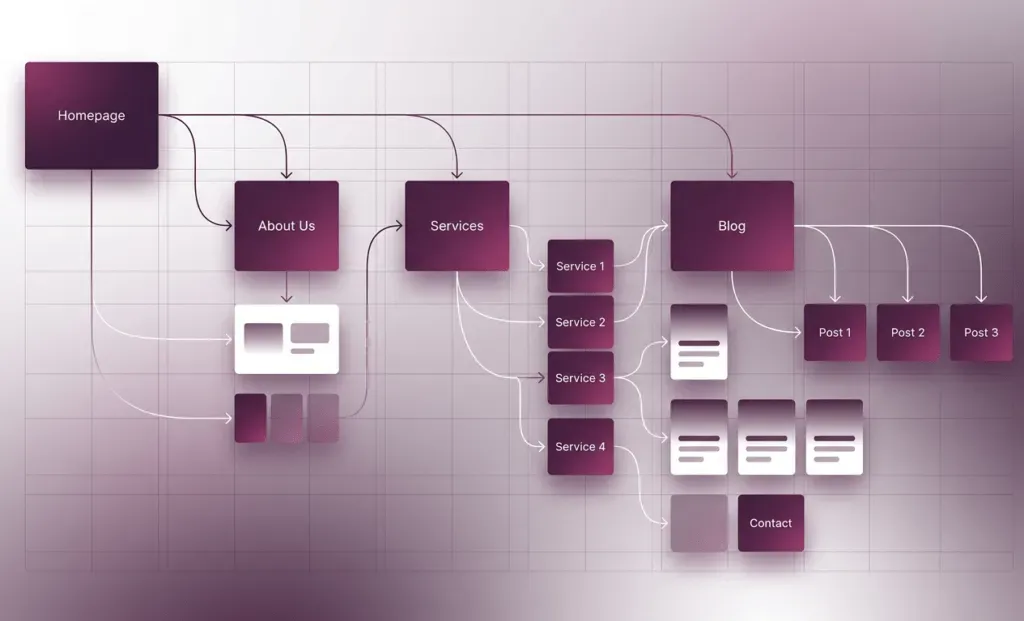
Understanding the Purpose of the Page
- Before you start using you need to know what your page is for.
- Is it to inform people collect information or sell something?
- Knowing what you want to do helps you plan your layout
- Choose the sections and put the right buttons in the right spots.
- When you know what you want you do not add things you do not need.
- A clear purpose helps visitors understand your page faster.
- It also helps you decide where to place buttons or forms.
- When the goal of the page is clear the design becomes easier.
Step 02
Architecture
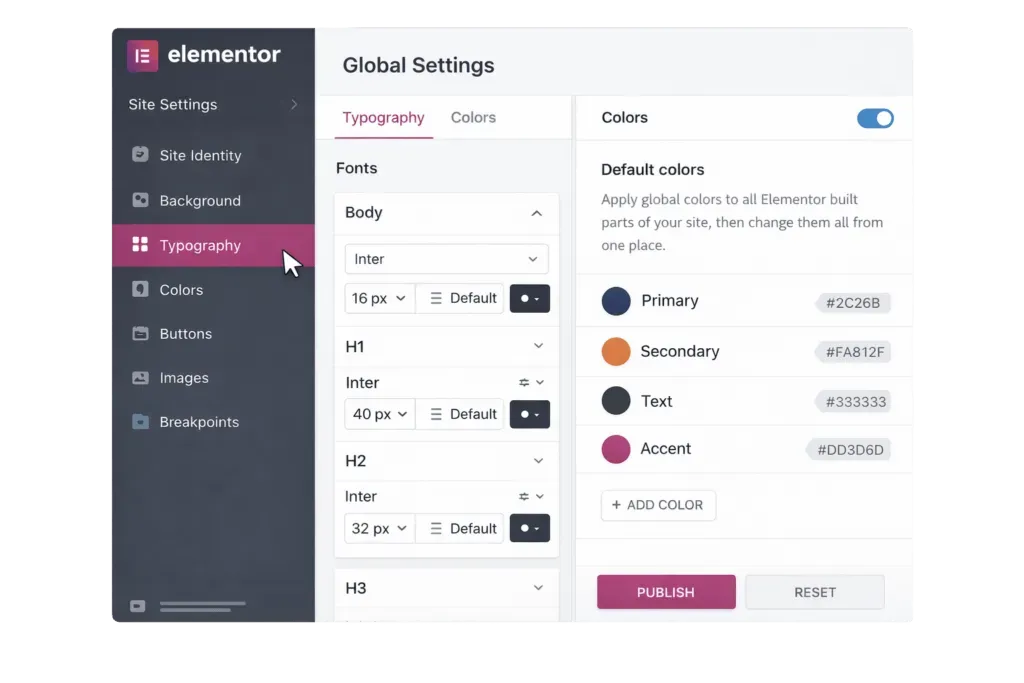
Planning the Page Structure
- Good design starts with a plan.
- You can write down the main parts of your page.
- Planning helps keep your content organized.
- Elementor design workflow is about planning your website.
- A clear structure makes the page easier to read.
- Visitors can move from one section to another without confusion.
- Planning also saves time during the design process.
Step 03
Brand Consistency
Setting Up Global Design Settings
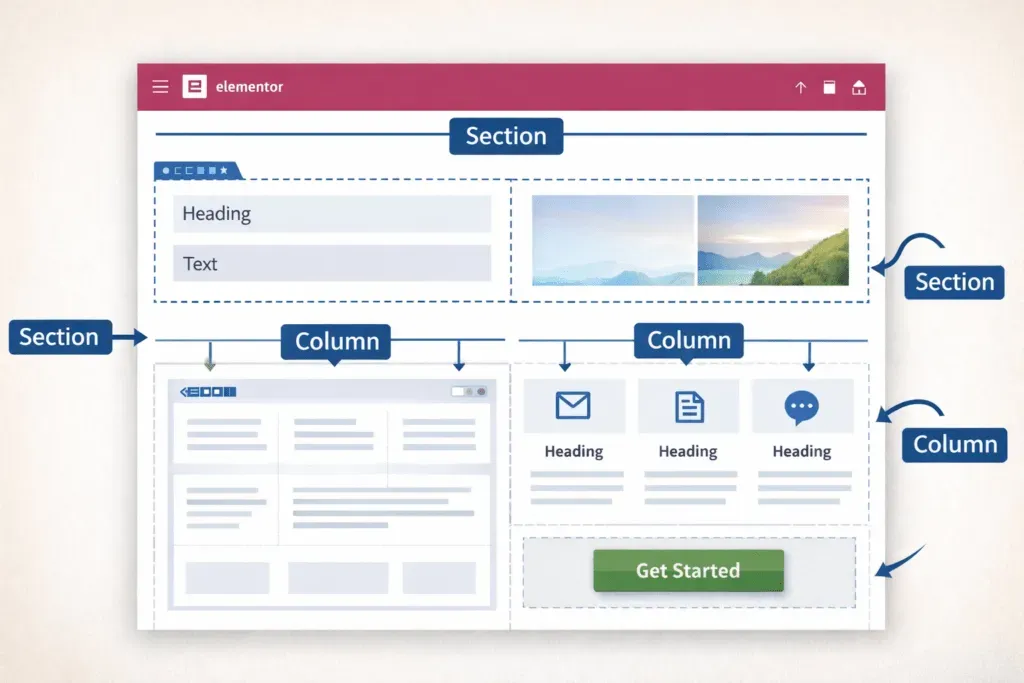
- Elementor lets you set the fonts and colors for your website.
- Setting these at the start keeps your website looking consistent.
- Global settings saves you time.
- You do not have to change each thing one by one
- This is a part of the Elementor design workflow.
- Using global settings keeps the website design clean & professional.
- It also helps maintain the same style across all pages.
- Designers often use this step to follow brand guidelines.
Step 04
Layout Building
Building the Layout with Sections and Columns
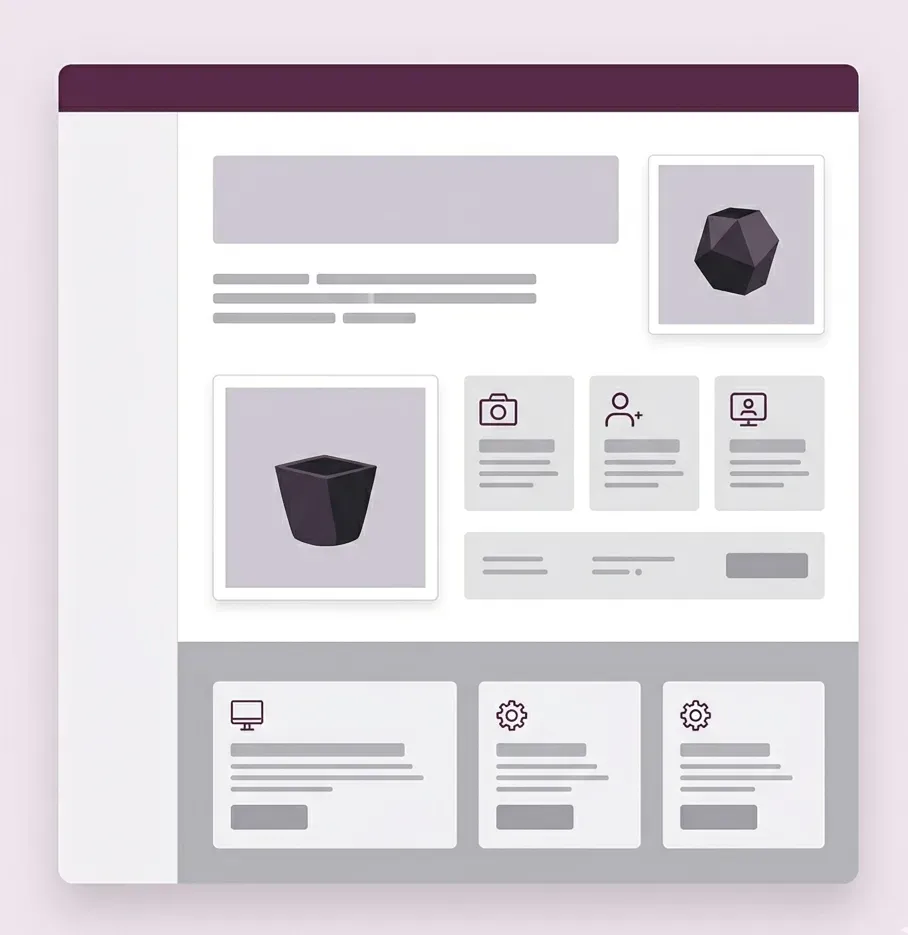
- When you use Elementor you make your layout with sections, columns and widgets.
- First you create the sections that show what your page is about.
- Then you divide those sections into columns
- This builds a base before you add the details.
- Elementor design workflow is about building a foundation.
- A strong layout helps keep your content organized.
- It also improves how visitors read and explore your page.
Step 05
Content
Adding Content and Widgets
- Once your layout is set you add things like headings, pictures, buttons etc
- Elementor has built-in tools that make it easy to create nice designs.
- You put your content in a way that makes your page look balanced and easy to read.
- You should not put many things in one section or it will look messy.
- Clear headings help visitors scan the page quickly.
- Images and icons can make the design more engaging.
- Simple layouts usually look more professional.
Step 06
Responsive Design
Optimizing for Mobile Devices
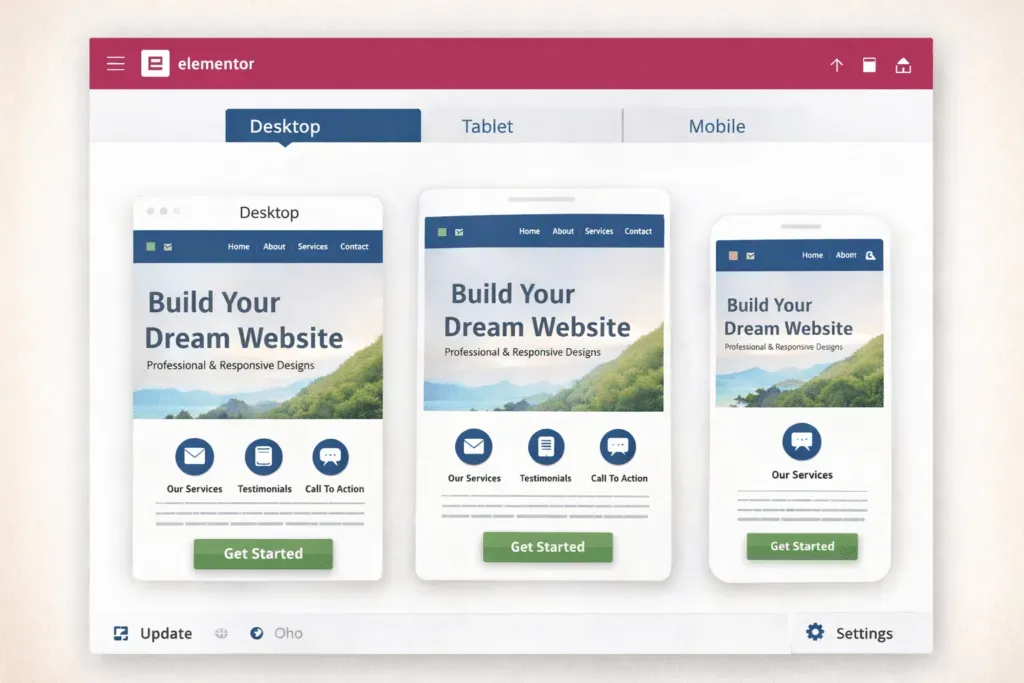
- Elementor lets you see how your website looks on desktop, tablet and mobile devices.
- You can change the spacing, font sizes and layout to make sure your design looks good on screens.
- This is very important because many people visit websites on their phones.
- When your website works well on all devices it is better for the people who visit it.
- It helps your website rank higher in search results.
- Elementor design workflow includes making sure your website works well on all devices.
- Responsive design improves the user experience.
Step 07
Performance
Improving Performance
- Even though Elementor is easy to use using many widgets or animations can make your website slow.
- You should use pictures and avoid things you do not need.
- You should keep your sections simple.
- Remove anything that is not necessary.
- Fast websites keep visitors engaged longer.
- Clean designs usually load faster.
- Good performance also improves user experience.
Key Workflow Tips
Plan Before You Open Elementor
Plan your page structure before you start designing. A blueprint saves you hours of rework later.
Set Global Styles First
Use global fonts and colors to keep things consistent across every page of your website.
Layout First, Content Second
Build your layouts first then add the content. Never design and write at the same time.
Simplicity Wins Always
Keep things simple to make sure your website works well, loads fast, and looks professional.
Review Before You Publish
Review your page before publishing it. Small improvements can make a big difference in quality.
Test All Screen Sizes
Test your designs on both desktop and mobile devices before publishing anything live.
Final Thoughts
Having an Elementor design workflow makes building websites faster and more efficient. Of just putting things on your page following a plan helps you stay on track and make your website look professional. When you plan your structure use settings and focus on performance you can make nice and functional websites with Elementor. Elementor design workflow is the key, to making websites.