How Hosting Affects
Website Speed
Quick Intro:
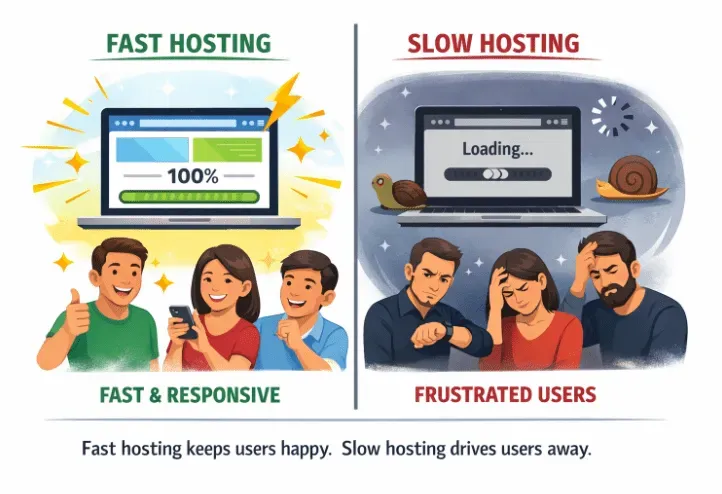
Site speed rocks! People dig fast sites, and Google does too. Slow sites? Nobody wants ’em. Sure, images and caching matter, but your web host? HUGE deal for load times. Good host = fast site, happy people, and better search results. Key if you’re on WordPress.
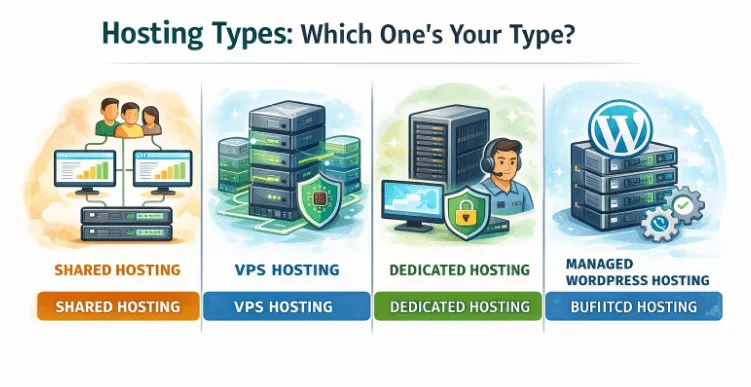
Hosting Types: Which One's Your Type?
- Shared Hosting: Like sharing an apartment. Tons of sites on one server. Cheap, but if one site goes bonkers, everyone slows down. Not for high-traffic sites.
- VPS Hosting: Your own condo. Dedicated resources. Faster than shared. Good for decent traffic.
- Dedicated Hosting: Your own house! Whole server is yours. Fastest. Best for tons of traffic or online stores.
- Managed WordPress Hosting: Made just for WordPress. Auto-updates, server caching = super-fast site. Great for beginners. Easy.
Location Matters ( Server, That Is)
Server close to your audience = faster site for them.
CDNs spread your content worldwide = fast loads everywhere.

What's a Good Host Made Of?
- CPU & RAM: Engine and gas tank. The more, the better for traffic and complex stuff.
- Disk Type: SSDs > old HDDs. Speed up database and file stuff.
- Bandwidth: Data pipe size. Needs to handle traffic spikes.
- Uptime: Host’s gotta be reliable and keep your site up! Downtime = bad for SEO and trust.

WordPress & Hosting: It's Complicated:
- WordPress makes pages live, so server power = big impact on speed.
- Shared hosting can choke on lots of plugins or themes = slowdown.
- VPS, dedicated, and managed hosting offer caching and special database stuff to make WordPress faster.
- A slow host can screw up Core Web Vitals = Google rankings take a hit.
Speedier Host Tips:
- Turn on server caching to skip rebuilding pages every visit.
- Use a CDN to speed up your site worldwide.
- Clean up your database (old posts, spam, unused stuff).
- Choose themes that are lightweight and don’t bog down your server.
- Don’t go crazy with plugins. Only use what you need.
Key Points:
- Hosting types matter, from shared to VPS to dedicated to managed WordPress. It all impacts speed.
- Server location and CDNs help with lag.
- CPU, RAM, SSDs, and bandwidth = key to website speed.
- WordPress makes webpages live. So, the server quality really matters.
- Pick a good host, and fix your caching!
Conclusion:
If you care about users and search engines, speed is important. Your host directly affects how fast your WordPress site loads and handles traffic. Shared hosting might be okay for low traffic, but VPS or managed hosting is better for reliability. A good host = happy users and better search rankings.
Written By Mahnoor Zaheer | Designed By Abeeha Parveen | Intern At Webera Solutions