Website Speed Tools
You Should Use

Website speed is no longer optional, it’s critical. A slow website reduces conversions, increases bounce rates, and negatively impacts SEO rankings.
If you want better user experience and higher search visibility, you need to monitor and optimize your site speed regularly.
In this guide, we’ll explore the best website speed tools you should use to analyze and improve your website performance.
Why Website Speed Matters?
On-page SEO refers to all the optimizations you make inside your website, including:
Improve User
Experience
Increase Conversion
Rates
Reduce Bounce
Rate
Rank Higher on
Search Engines
Perform Better on
Mobile Devices
Top Website Speed Tools You Should Use
1. Google Page Speed Insights
One of the most popular free tools for analyzing website performance.
What it provides:
- Mobile and desktop speed scores
- Core Web Vitals analysis
- Performance improvement suggestions
- SEO-related recommendations
2. GTmetrix
GTmetrix gives detailed reports on loading performance.
Features:
- Page load time analysis
- Waterfall breakdown
- Performance grade
- Recommendations for improvement
3. Pingdom
Pingdom allows you to test website speed from different global locations.
Benefits:
- Real-time performance insights
- Uptime monitoring
- Load time analysis
- Performance history tracking
4. WebPageTest
WebPageTest offers advanced speed testing options.
What makes it powerful:
- Test from multiple countries
- Advanced waterfall charts
- Core Web Vitals measurement
- Real browser testing
5. Lighthouse
Lighthouse is built into Google Chrome DevTools.
It analyzes:
- Performance
- Accessibility
- Best practices
- SEO
- Progressive Web App readiness
Key Metrics You Should Monitor
When using speed tools, focus on:
First Contentful
Paint (FCP)
Largest Contentful
Paint (LCP)
Time to
Interactive (TTI)
Total Blocking
Time (TBT)
Cumulative Layout
Shift (CLS)
How to Improve Website Speed
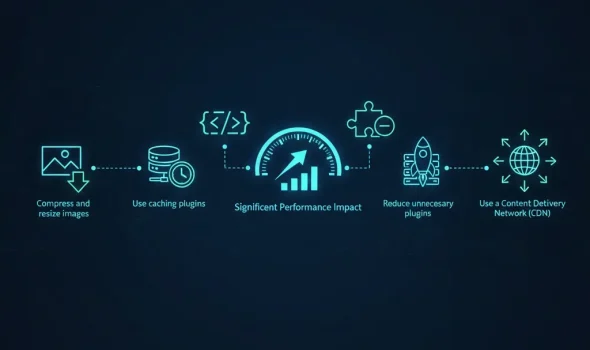
After testing your site, apply these optimizations:
- Compress and resize images
- Use caching plugins
- Minify CSS & JavaScript
- Reduce unnecessary plugins
- Choose fast hosting
- Use a Content Delivery Network (CDN)
Common Mistakes to Avoid
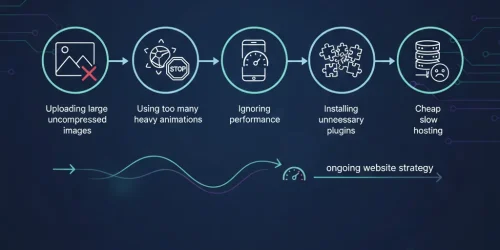
- Uploading large uncompressed images
- Using too many heavy animations
- Ignoring mobile performance
- Installing unnecessary plugins
- Cheap slow hosting
Final Thoughts

Website speed tools are essential for keeping your site fast and competitive.
A slow website can hurt user experience, lower SEO rankings, and reduce conversions.
By testing your website regularly, you can identify performance issues early and fix them before they impact your traffic and sales.
If you want better search rankings, higher conversions, and a smoother user experience, make website speed testing a regular part of your optimization strategy. 🚀
Like what you see? Let’s build something together.
From idea to launch — I’ll help you build a website that works beautifully and delivers results.