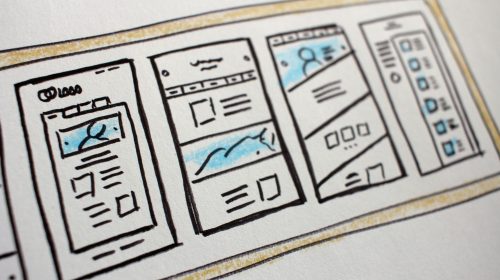
A business website isn’t just about looking good — it’s about guiding users, building trust, and driving action. Strong UI (User Interface) and UX (User Experience) design can be the difference between a visitor leaving or becoming a customer.
In this blog, we’ll share practical UI/UX tips for business websites that improve usability, engagement, and conversions.
Visual elements like colors, buttons, fonts, and layout
UX (User Experience)
How users feel when navigating and interacting with your website
Great business websites combine clean UI with smooth UX.
Why UI/UX Matters for Business Websites
Good UI/UX helps businesses:
Key characteristics
Build credibility and trustKeep visitors engaged
Improve conversion rates
Reduce bounce rate
Create a professional brand image
Poor UI/UX can cost you leads — even if your services are excellent.
1. Keep the Design Simple and Clean
Simplicity improves clarity.
Avoid cluttered layouts
Use white space wisely
Focus on one goal per page
Minimal designs help users focus on what matters.
2. Use Clear and Consistent Typography
Readable text improves user experience.
Use max 2 font families
Maintain proper font sizes
Ensure enough contrast
Typography should support readability, not distract.
3. Design Mobile-First
Most business website visitors come from mobile devices.
Use responsive layouts
Make buttons easy to tap
Avoid small text & crowded sections
A mobile-friendly website improves both UX and SEO.
4. Create Clear Navigation
Navigation guides users smoothly.
Keep menus simple
Use familiar labels
Limit menu items to essentials
Users should find what they need in seconds.
5. Use Strong Visual Hierarchy
Visual hierarchy directs attention.
Use larger fonts for headings
Highlight CTAs with color
Use space
Good hierarchy makes content easier to scan.
6. Add Clear Call-to-Action Buttons
CTAs tell users what to do next.
Get a Quote
Book a Call
Contact Us
Place CTAs strategically and keep them visible.
7. Optimize Website Speed
Speed affects user experience and rankings.
Optimize images
Use caching
Avoid heavy animations
Fast websites keep users engaged.
8. Use Consistent Colors and Branding
Consistency builds trust.
Stick to 2–3 brand colors
Use consistent button styles
Maintain uniform spacing
Consistency makes your brand feel professional.
9. Make Forms Simple and User-Friendly
Forms should be easy to complete.
Ask only necessary information
Use clear labels
Show success messages
Simple forms increase lead submissions.
10. Use Feedback and Micro-Interactions
Small interactions improve UX.
Button hover effects
Form validation messages
Loading indicators
These details make your site feel alive and polished.
Final Thoughts
Strong UI/UX design isn’t about trends — it’s about clarity, usability, and trust. By applying these UI/UX tips, business websites can deliver better experiences, attract more leads, and grow faster.
A user-friendly website is an investment that pays off long-term.
Like what you see? Let’s build something together.
From idea to launch — I’ll help you build a website that works beautifully and delivers results.