Introduction
Creating a WordPress site is really exciting. Just having a website does not mean it will show up in search results. Many people spend a lot of time writing blog posts or uploading content. Yet their site still does not get visitors. This usually happens because of mistakes that add up and hurt your site’s visibility. To fix this, you need to know what these common mistakes are.
Technical Configuration Errors
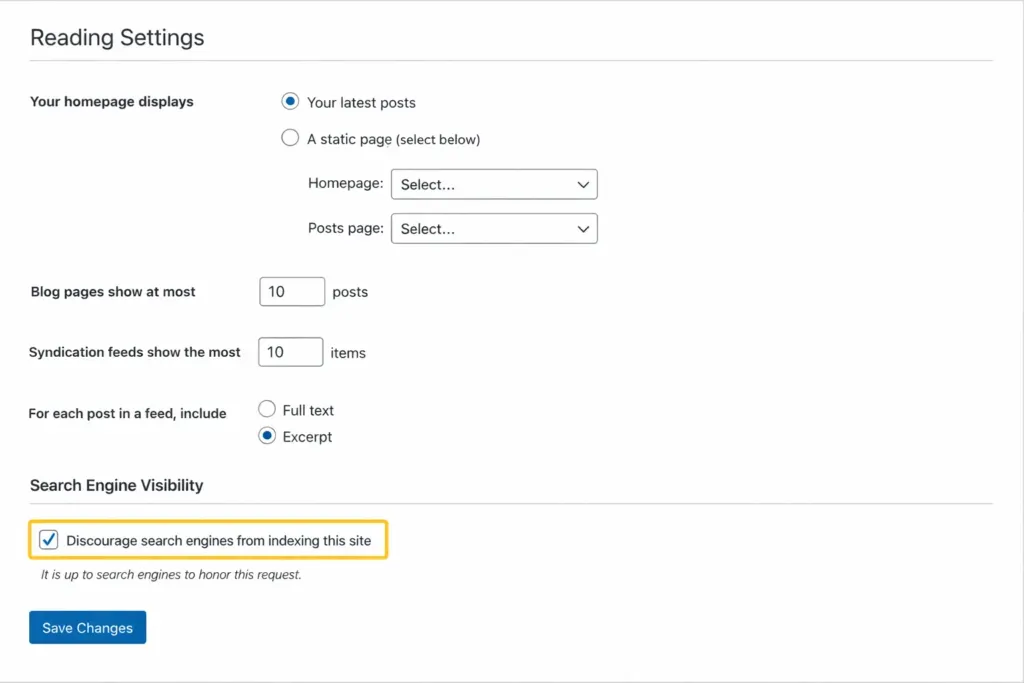
• There is a trap in WordPress settings that can hurt your site. It is called “Discourage search engines from indexing this site.” If you leave this box checked, search engines will not look at your content even if it is good and relevant. Many new users do not even know this box is checked after they launch their site.
• Your website’s links can also be a problem. Links like ?p=123 do not tell users or search engines what your content is about. If you switch to links that have the post name in them, it will be easier for people to find your content. This also makes it easier for users to share and navigate your site with WordPress SEO.
• If your site does not have HTTPS, it can be a problem. Browsers will say your site is not secure, and this can make users not trust your site. Google also likes sites with HTTPS, so you should get an SSL certificate for your WordPress site.
• Some sites can be accessed with or without “www.” This can cause problems. Search engines might think these are two sites, and this can split your ranking. You should always set a domain in WordPress and your hosting provider for SEO.
• If you do not submit your sitemap to Google Search Console, search engines might miss some of your pages. Submitting your sitemap helps Google find and index your content easily with WordPress.
• If your WordPress timezone does not match your audience’s timezone, your scheduled posts might go live at the wrong times. This can reduce engagement and affect how quickly search engines index your new content.
Performance and Speed Pitfalls
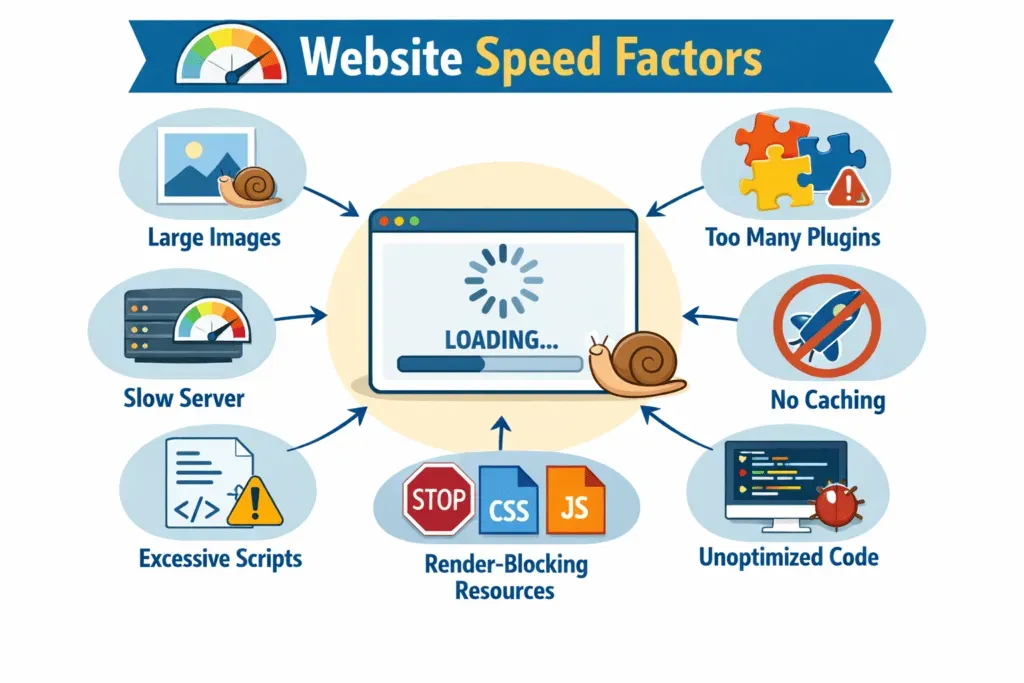
• If you have plugins, they can slow down your website. Every plugin adds code. Using too many can hurt your SEO rankings. You should only install plugins that you really need and check how they affect your site’s speed with WordPress.
• If you upload images from your phone or camera, it can slow down your page load times. You should compress your images and use formats like WebP to make them smaller for WordPress SEO.
• If you do not use caching, WordPress will rebuild your pages every time a user visits. This can put stress on your server. A caching plugin can serve a saved version of your pages. This can reduce load times and improve SEO.
• If you have shared hosting, it can cause server response issues or downtime. Google measures how long it takes for your site to load, and slow servers can hurt your rankings. You should invest in hosting for performance and better WordPress SEO.
• If you use external scripts or have a cluttered database, it can slow down your site. Over time, WordPress databases can get cluttered with post revisions and expired data. You should clean them periodically.
On-Page and Content Blunders
• Some people focus too much on SEO scores. Tools like Yoast or Rank Math can give you guidance. If you only focus on getting a “green light,” your content might sound robotic. You should write naturally for your audience instead of forcing keywords for WordPress SEO.
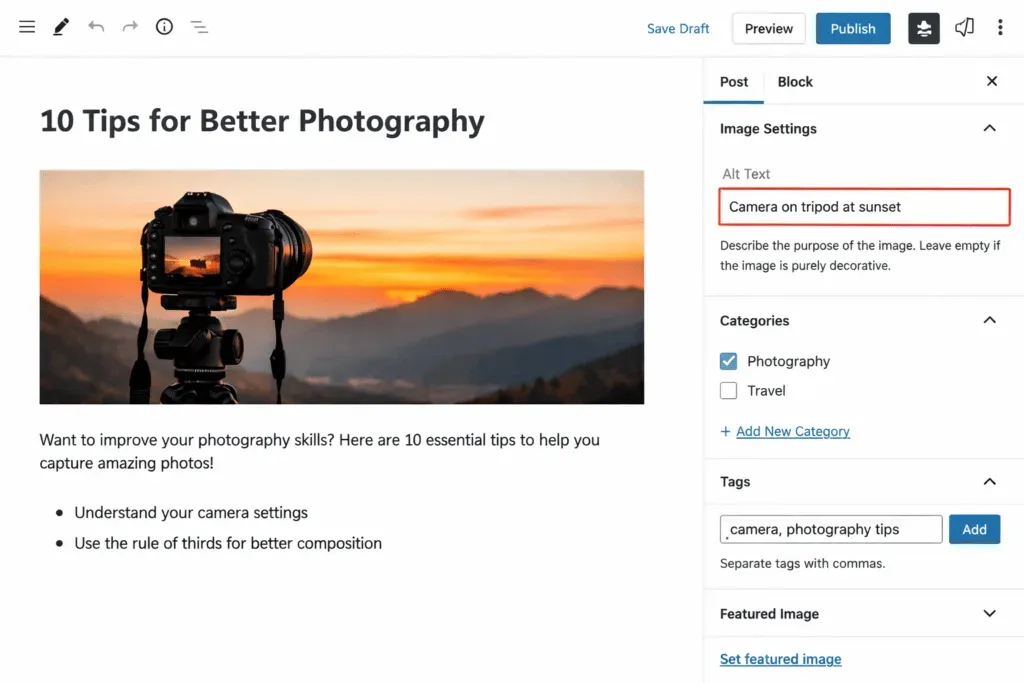
• If you do not add alt text to your images, it can reduce accessibility and prevent search engines from understanding your visual content. You should always add alt text to your images for SEO.
• If you create tags with little content, it can result in thin-content archive pages. Strong, organized categories can make your site easier to navigate and improve your SEO with WordPress.
• If you do not link between posts, it can hurt your site’s structure and keep users engaged. Not linking posts can create orphan pages, which are harder for search engines to find.
• If you use the keyword too many times, this is outdated. Google looks at the context, so you should include terms naturally in your content for WordPress SEO.
• If your page does not satisfy the visitor’s intent, users will leave quickly. You should make sure your page is relevant to what users are looking for.
Mobile and User Experience (UX) Issues
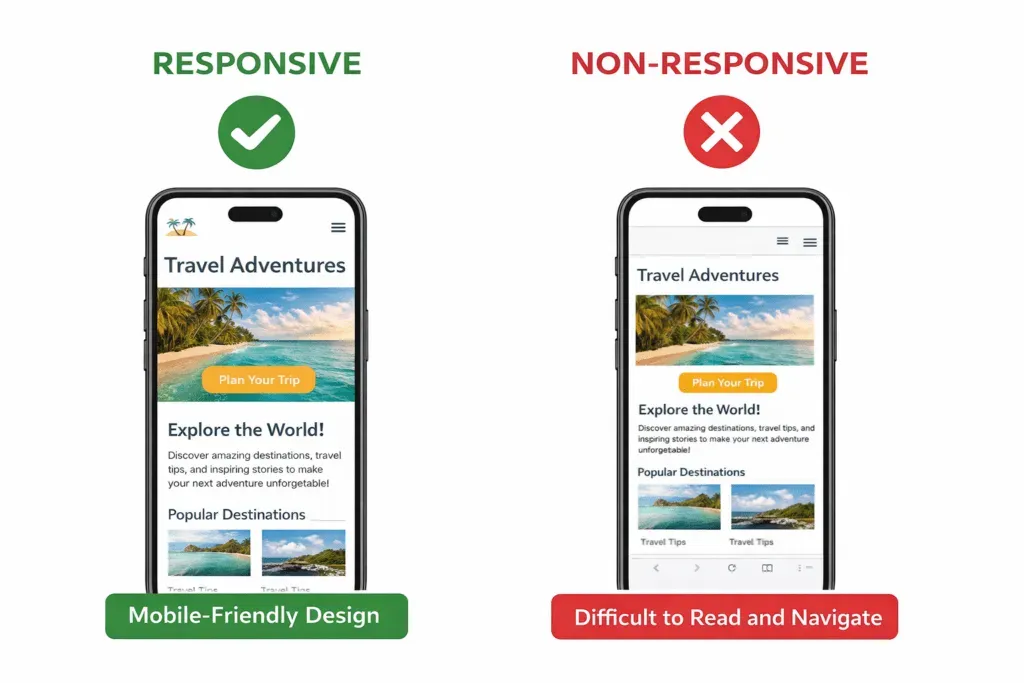
• If your theme is not responsive, it can be a problem. Google looks at the version of your site first, so you should use a theme to ensure your site looks good on all devices.
• If you have pop-ups that block content, it can frustrate users and increase exit rates. You should keep pop-ups to a minimum.
• If your text is too small or lacks contrast, it can reduce readability. You should make sure your content is legible on both desktop and mobile.
• If your buttons or links are too close together, it can lead to misclicks that harm your UX and engagement scores. You should have adequate spacing to improve usability.
Plataforma7k anyone? Heard a few people talk about it, so decided to take a look. I’ll keep you posted! You can check more details here! plataforma7k